Friday, March 8, 2024
Reading Practice Intensive, Day 2: Know Your Reader
Thursday, March 7, 2024
Reading Survey Data Analysis
Kia Ora Reader,
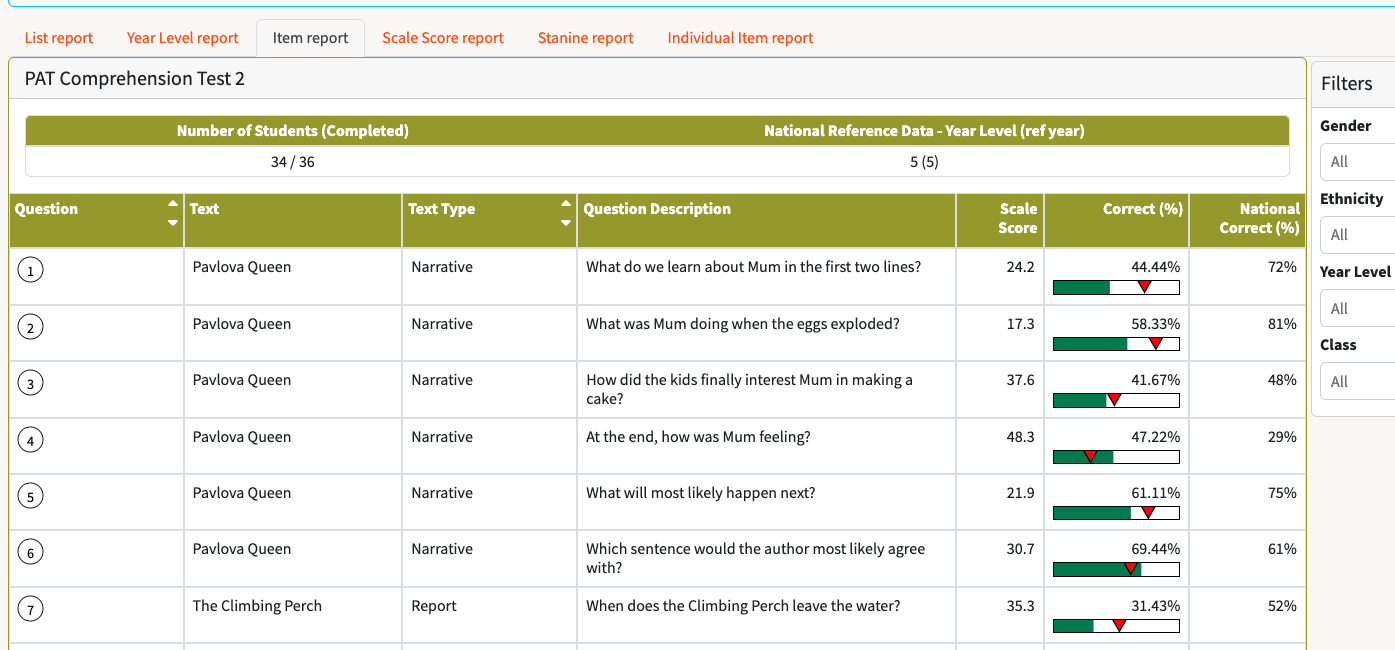
Here is the data from my reading classes' student survey.
I found it really interesting that the student's attitudes towards reading and their view of themselves as a reader was overall quite positive, they understood that reading helps them but they don't tend to read in their own time for enjoyment, though they did mostly enjoy reading for enjoyment. It will be interesting to did deeper with them to find out what the barriers are to reading and figuring out ways increase their motivation to read for enjoyement.
Friday, February 16, 2024
RPI - Day 1: Reading is Core
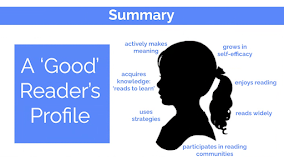
I felt that today was a great introduction to the RPI. It helped to bring our students as readers to the front of our minds and gain a deep understanding of what skills our readers need to be successful readers.
Thursday, May 14, 2020
Session 9- Digital Fluency Intensive - revision
Wow! how 9 weeks flies. It has been a great nine weeks with lots of new and interesting learningToday our Kaupapa word was Ubiquitous. Ubiquitous learning is about the ability for students to learn anywhere, anytime, any pace from anyone.
This topic is so relevant at the moment with the student learning from home and online. An important aspect of ubiquitous learning is ensuring that learning is rewindable. This gives students access to learning opportunities for learning when they may not have had it at home in the past.
The Summer learning journey is an example of ubiquitous learning. It means that the students who take part are able to continue learning over the summer and don't experience the same summer drop off. As Dorothy spoke about, I will be interested to see if the students who regularly took part in our learning online comeback to school with less of a drop than the students who haven't engaged.
The next part of the day was our opportunity to set the Level 1 google educator exam. The exam was a bit intense with the time there and constantly ticking down. But I got it finshed and Passed. Yay!
Reflection of the DFI
I have loved being involved in the DFI I have learnt some many new skills and extended my knowledge of some applications too. There is so much much I could mention but here are a few things that stood out to me:
- Google Keep - I have used this a lot in my school work and personal life since I learnt about it in the DFI. I have ides it to make cloze activities of texts that students are reading, it helps with work flow being able to quickly save those web pages that you don't want to bookmark but will go back to later... and it is great for shopping list (especailly during lockdown beacuse it updates in real time and you can add collaborators)
- Mymaps - this was completely new to me, and while I need to explore its uses more I have enjoyed playing with it and managed to uses it in my online learning to show where ANZAC cove was in relation to NZ. One of my student blogged that he liked seeing the map which was cool.
- Sheets - Where do I start, I really had no idea of the functionality of sheets before that session. I knew how make and sahre a sheet, add text to cells and merge cells etc. But it is so useful being about to freeze cells, actullay do sums and create charts. It is so useful for data collection and I can't wait to explore how I con use this with my students.
- Mutli-modal texts - I had a bit of background on this from the beginning of the year with Kelsey but it was great to get into more and to have a play. I also enjoyed hearing about the theory behind using multi- modal text. During my online learning I have tried to use mutli-text using slides. My students enjoyed being able to get information in differnt ways. I ensured that I always included the text, a listen to version of the main text a a video.
- Maniakalani pedagaoy - I have really enjoyed the time each session spent getting to learn more abut the pedagogy behind Maniakalani. It really reinforced why we do the things that we do in our classrooms and online.
Thursday, May 7, 2020
Digital Fluency Intensive -Session 8 - Computational thinking
The idea of empowered learning is that the device is not just a tool, it is used to transform the learning experience for students and whanau.
It was eye opening to hear about the daily challenges that many families in low decile areas face, I am sure we have some students in our community who have to worry about some of these problems.
The empowerment of learning gives students the opportunity to take control of their lives and futures. Students becoming digitally literate also gives families opportunities to find control.
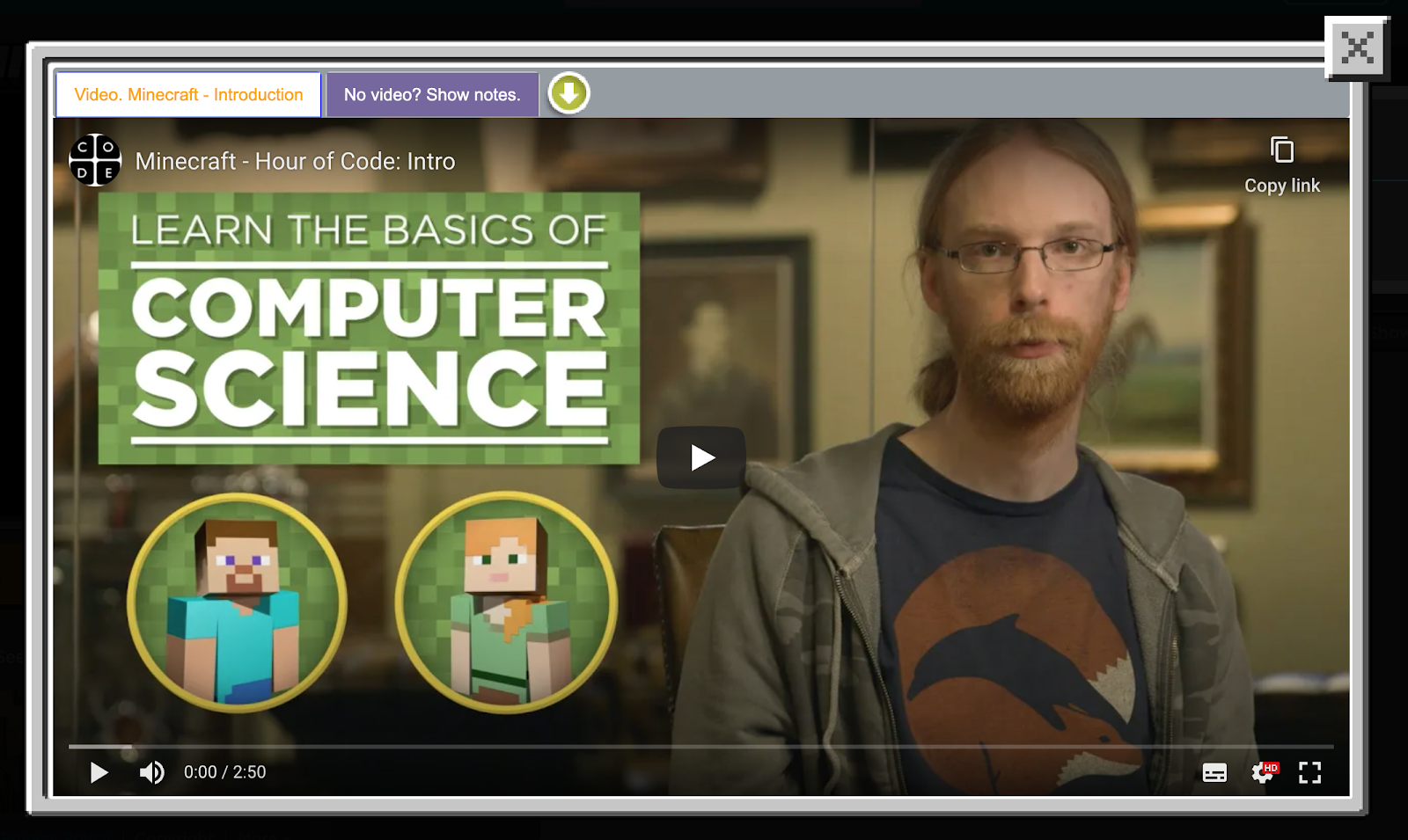
Our big idea today was Computational thinking (learning to think like a computer scientist).
This was about empowering students to be digitally fluent and able to use their skills to enable them to be the creators/innovators rather than just the consumers.
We looked at the DLO's from the new digital curriculum. Then we looked at the future of tech which showed us the future our students are heading into that they types of thinking that they will need to be able to adapt to.
| https://studio.code.org/s/mc/stage/1/puzzle/1 |
In our create session I chose to have a go with scratch. I had played a little in the past but always felt quite confused by it, so it was great to have a good amount of time to explore the tool and get a grasp on a few of the basic skills so that I feel comfortable to teach my students. Below is a like to the scratch I created.
Going for a walk scratch
Thanks for reading.
Until next time,
Sarah
Thursday, April 30, 2020
Digital Fluency Intensive- Session 7 - Devices
I had previously thought of being cybersmart being about learning making safe choices online, however today I learnt that it is more than that. It is about empowering students to be active participants online, being confident to share their learning. I liked the point of teaching students to have healthy interactions in their digital world, it's not about limiting them to keep them safe, but more about teaching them how they interact with their online world and a safe and respectful way.
Next we had a deep dive into Hapara. Hapara is an aplication that allows us to see students learning. We can see the learning they have in their drives, their blog posts, comments on their blogs, monitor their emails, see what they are currently doing on their devices.
Useful new learning on hapara:
- You can move students around in dashboard to see kids you need to see the most at the top.
- allow time for students to tidy drives - fun to reward tidy drives.
The video below explains a lesson plan for keyword searches.
Thanks for reading my blog.
until next time,
Sarah
Thursday, April 23, 2020
Digital Fluency Intensive Session 6
We heard how being connected sits closely with visibility, which we learnt about last week. Dorothy explain the the ideas of Learn, Create, Share is what helps us to connect as a network of schools. The connections that we have also allow students to have connections with other students through the use of their blogs. By sharing their learning and being able to see what students at other schools have being learning allows them to connect with the wider world. As a city girl who has worked in a couple of country schools in the past I loved Dorothy's example of the student blogging about possum shooting, something that is a regular for them but students in city schools are being exposed to a new experiences or ideas.It was good to hear about the twitter page to be able to see the blog posts from around the cluster. This makes it feel so much more manageable to view the blogs from around the cluster, I have finally given in and signed up to twitter.
Next we moved onto the main focus which was enabling access to learning. We had a look at different learning sites, including our own. The main points I took away from this were:
- Keeping it simple and uncluttered
- Photos of students made people feel engaged with the site
- the use of sites in consistent for a student from year 1 to 13
- Questions to ask:
- Is the site visually appealing? Does it hook in the user?
- Is the site functional for users?
- Is there connection to the blogs?
- 3 click rule - only three clicks to the learning.
It's hard to believe that we have completed all 9 sessions of RPI. We have covered so much in that time and there has been so much learn...
-
I felt that today was a great introduction to the RPI. It helped to bring our students as readers to the front of our minds and gain a deep ...
-
Our Kaupapa focus today was about the connected aspect. We heard how being connected sits closely with visibility, which we learnt about ...
-
Hi Everyone, This week's focus was on how we group students and select texts for our students. As always, I enjoyed hearing Dorothy ta...